
Follow ZDNET: Add us as a preferred source on Google.
ZDNET key takeaways
- Material Files is a well-designed Android file manager.
- This app blows away the competition.
- Material Files is free and can be installed from the Play Store.
I've tried so many Android file managers over the years. I've seen those that look good but lack features, those that have too many features and a pleasing aesthetic, and those that look terrible and don't have enough features.
It's been a tiresome journey, one that eventually had me giving up and sticking with the default. Until now.
Also: 7 apps I use to lock down, encrypt, and store my private files – and most are free
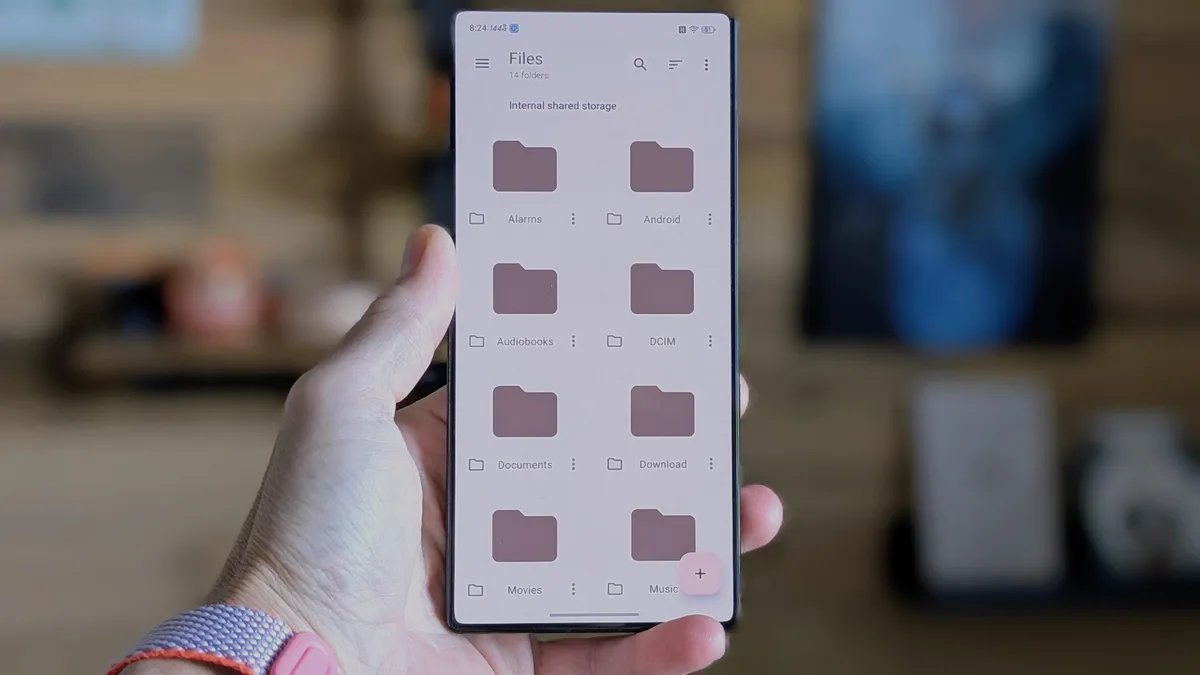
Recently, I stumbled upon Material Files, which is an open-source Android app, and I almost instantly proclaimed it the perfect Android file manager. It looks native on my Pixel 9 Pro and has exactly the right amount of features. When you open Material Files, you would think that it was built by Google specifically for Android, but it's not.
What's so great about Material Files?
Material Files is developed by Hai Zhang and, to my surprise, is free to install and use and has no pesky in-app purchases. How can this be? Well, it is, and I'm not about to look this gift horse in the chompers.
Also: Your Android phone is getting agentic powers with Gemini Intelligence – here's how and when
Material Files features bookmarks, remote connections, a built-in FTP server, connection options for FTP, SMB, and WebDAV, the ability to have multiple windows open simultaneously, select all, open in terminal, copy path, share, filters, and more.
In other words, it has everything a good file manager should. Now you might be wondering why a good file manager has me doing a happy dance. One of my biggest issues with so many file managers is the lack of SMB support.
I keep a Samba server running on my network, so I can easily save and open files from any machine. Most Android file managers lack the ability to connect to that server, or, if they do, the UI is terribly designed and cumbersome to use.
The remote connectivity feature alone makes this file manager one of the best.
Jack Wallen/ZDNET
Material Files fixes that with easy SMB connections and a UI that's easy to navigate. For example, if I want to connect to an SMB server, I tap the three-line menu button near the top left, tap “Add storage,” tap SMB server when prompted, and either wait for the app to automatically find the SMB server (which it does every time) or tap “Add manually” and enter the details myself.
Also: Two new Android 16 security features protect you better – how to switch them on now
Material Files supports several options for remote connectivity.
Jack Wallen/ZDNET
Once I've added a server, Material Files saves the connection for easy access. It doesn't get any easier than that.
Material Files does a great job of accessing DCIM storage, Downloads, Movies, Music, and Pictures, and it has a shortcut to Screenshots. The method of accessing screenshots with the Google file manager is awkward at best, so that feature is a blessing.
Also: Google quietly confirms ChromeOS-Android merger – here's what it means for you
One other feature that I love is that you can navigate to a location in Material Files, tap the three-dot menu button in the upper right, and tap “Create shortcut” to add a home screen launcher for the particular folder or location you are currently browsing. I created a shortcut to my SMB directory, so I can instantly access it from my home screen. That's convenient.
How to get Material Files
Material Files is installed through the Google Play Store.
To install the app, all you have to do is search for it in the store, tap the entry, and then tap Install. That's it. Once installed, open it and start navigating your files and connecting to your remote locations. You will not find a better file manager for Android. Period. This is the one to which all others should be compared, and to which all developers should aspire.
Also: I'm a devoted iPhone user but Android 17 is tempting me with its new video and social features
Trust me when I say this is the only Android file manager you need. Get it, use it, and forget about the other file managers.